
OrderCare1.0.3 - Google Play
You'll be able to see results in few seconds.
Publisher Description

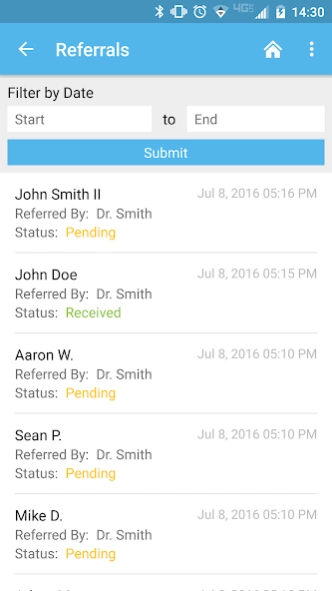
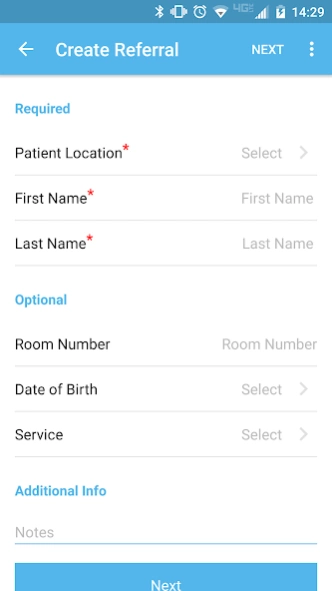
OrderCare is a HIPAA compliant app used to efficiently handle patient referrals.
OrderCare is a HIPAA compliant, customized mHealth solution providing home healthcare, hospice care and infusion care institutions an affordable, faster and more efficient way for physicians to submit patient referrals. When activated, the OrderCare app delivers a mobile option for referral sources to submit patient referrals and enhances the referral experience with efficiency and convenience, all while building stronger relationships with referring physicians and healthcare providers. All information is securely encrypted, safely transmitted and never shared with any 3rd party organization.
Features of this easy-to-use app include:
• Referral Tracking – shows submitted referrals to date, including current status and representative at healthcare company handling referral
• Email and Push Notifications Updates – informs individuals when a referral has been submitted or received by the home healthcare company
• Customized Interface – upon successful login, user interface is customized to reflect the healthcare company
• Personalization for Every Referral Source – create unique profiles for each physician, physician staff members and other referral sources for easy submission with custom locations, preferences and specialties
• Quick Contact – conveniently call or email healthcare company directly through the application
To activate your OrderCare account and start using it to enhance your business, contact support@ordercareonline.com today.
About OrderCare
The company that develops OrderCare is Drund Ltd. The latest version released by its developer is 1.0.3.
To install OrderCare on your Android device, just click the green Continue To App button above to start the installation process. The app is listed on our website since 2019-11-27 and was downloaded 0 times. We have already checked if the download link is safe, however for your own protection we recommend that you scan the downloaded app with your antivirus. Your antivirus may detect the OrderCare as malware as malware if the download link to com.drund.ordercare is broken.
How to install OrderCare on your Android device:
- Click on the Continue To App button on our website. This will redirect you to Google Play.
- Once the OrderCare is shown in the Google Play listing of your Android device, you can start its download and installation. Tap on the Install button located below the search bar and to the right of the app icon.
- A pop-up window with the permissions required by OrderCare will be shown. Click on Accept to continue the process.
- OrderCare will be downloaded onto your device, displaying a progress. Once the download completes, the installation will start and you'll get a notification after the installation is finished.
Program Details
System requirements
Download information
Pricing
Version History
version 1.0.3
posted on 2019-11-27
Added multiple organization support.
Bug fixes and enhancements.
version 1.0.1
posted on 2016-11-15
Disclaimer
Official Google Play Link
We do not host OrderCare on our servers. We did not scan it for viruses, adware, spyware or other type of malware. This app is hosted by Google and passed their terms and conditions to be listed there. We recommend caution when installing it.
The Google Play link for OrderCare is provided to you by apps112.com without any warranties, representations or guarantees of any kind, so access it at your own risk.
If you have questions regarding this particular app contact the publisher directly. For questions about the functionalities of apps112.com contact us.
